Early reading is proven to boost a child’s memory, vocabulary, and language skills, yet many parents struggle to find books that truly fit their child’s age, interests, and reading level. With thousands of titles available, generic recommendations and trial-and-error methods leave parents frustrated and unsure.
This lack of guidance risks children missing out on books that could spark curiosity, imagination, and a lifelong love of reading. Parents need a simple, reliable way to discover the right books, ensuring their children’s early reading experiences are both engaging and developmentally enriching.
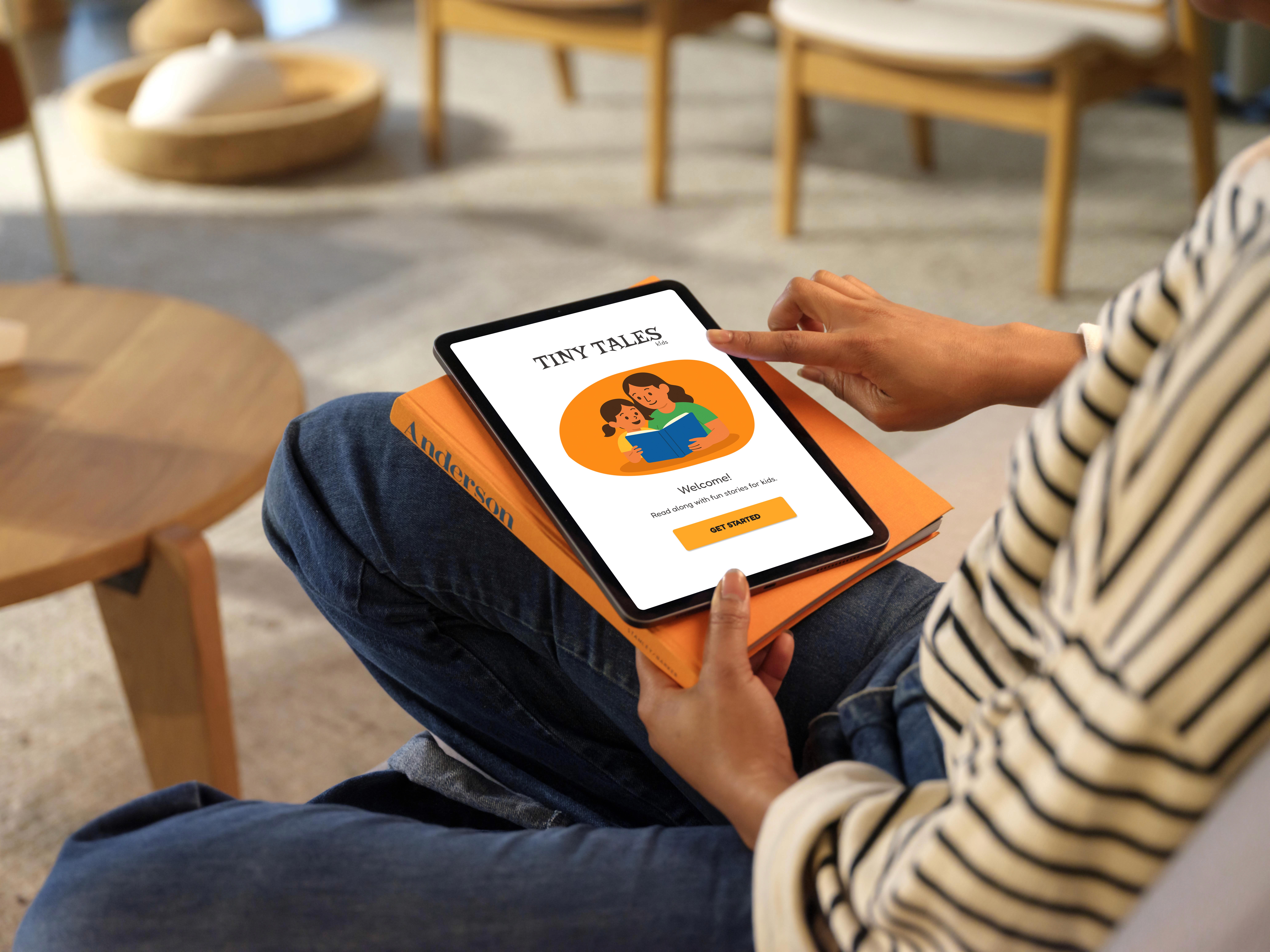
Tiny Tales is a curated platform designed to help parents discover the perfect books for their children.
Parents want their children to love reading, but finding the right books can be overwhelming. To address this challenge, I ran a modified GV Design Sprint over 5 days, adapting the process to focus on recruiting participants, rapid ideation, prototyping, and usability testing. This structured yet flexible approach allowed me to uncover pain points, validate ideas quickly, and refine solutions in real time. The result was Tiny Tales, a thoughtful, personalized experience that guides parents to stories that spark imagination, support learning, and nurture a lifelong love of reading.
MY ROLE
tools used
Figma, Zoom
On the first day, I set the foundation for the sprint by reviewing our persona, clarifying goals, and mapping the parent-child reading journey.
USER FLOW
A parent opens the app, ready to spark a little magic in their child’s day. They select their child’s profile, which tailors recommendations by age and interests. The home screen presents playful, curated content, making browsing easy. After previewing a few books, the parent selects the perfect story and starts reading together immediately, creating a joyful and shared experience.
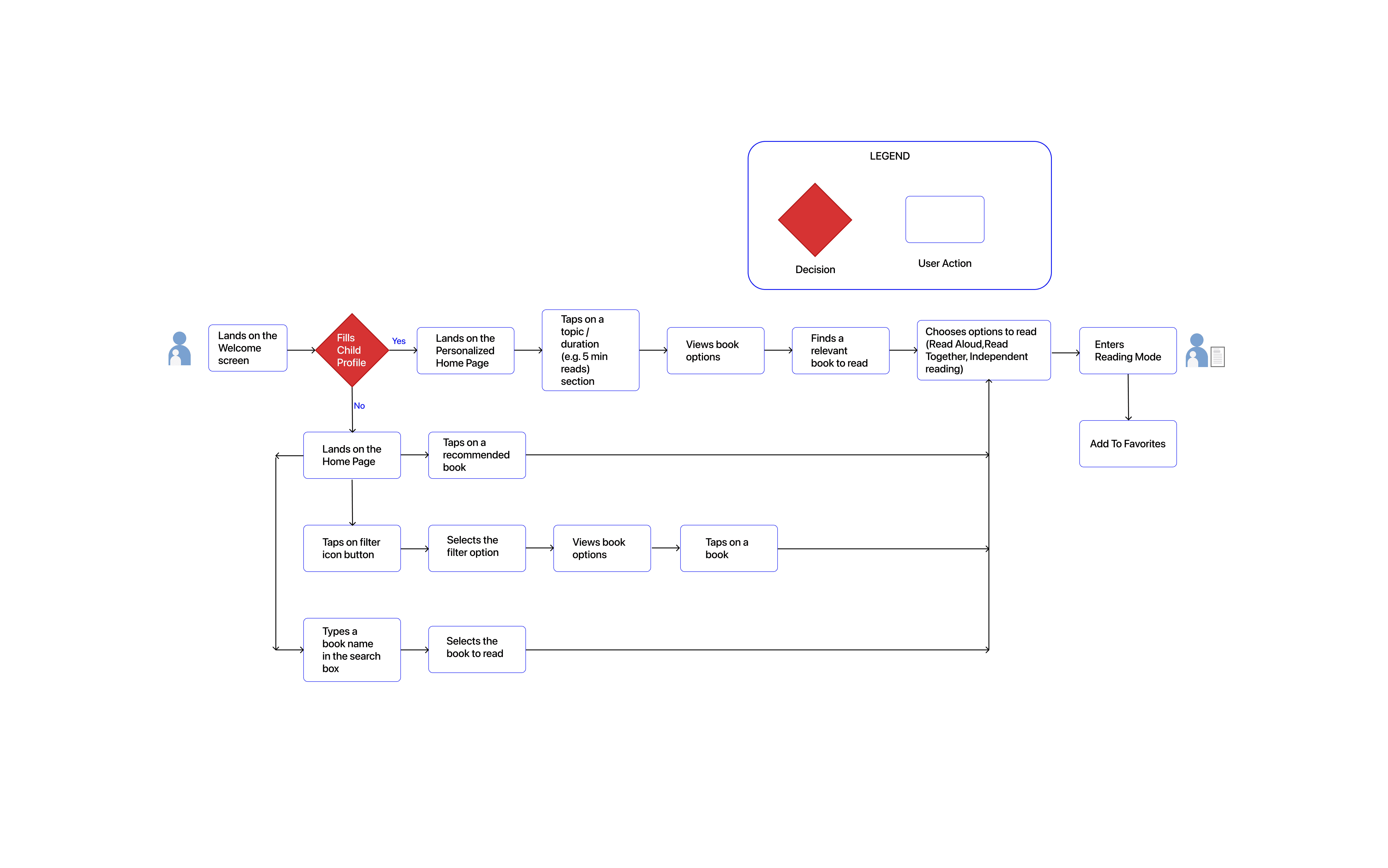
User Flow Map
recruiting particpants
On Day 1, I also focused on recruiting participants for the upcoming usability tests. The goal was to ensure a representative mix of parents with varying backgrounds, children’s ages, and reading habits, so the feedback would reflect diverse perspectives. I established clear selection criteria, reached out through relevant channels, and confirmed participation. This preparation laid the groundwork for meaningful usability testing later in the sprint, ensuring the insights gathered would be reliable, well-rounded, and actionable.
challenge
I focused on analyzing the challenges parents face in finding the right books for their children. I identified key pain points such as the time-consuming process, overwhelming options, and lack of personalized guidance. This helped define the core problem: parents need a streamlined, tailored way to discover books that match their child’s age, interests, and reading level.
persona
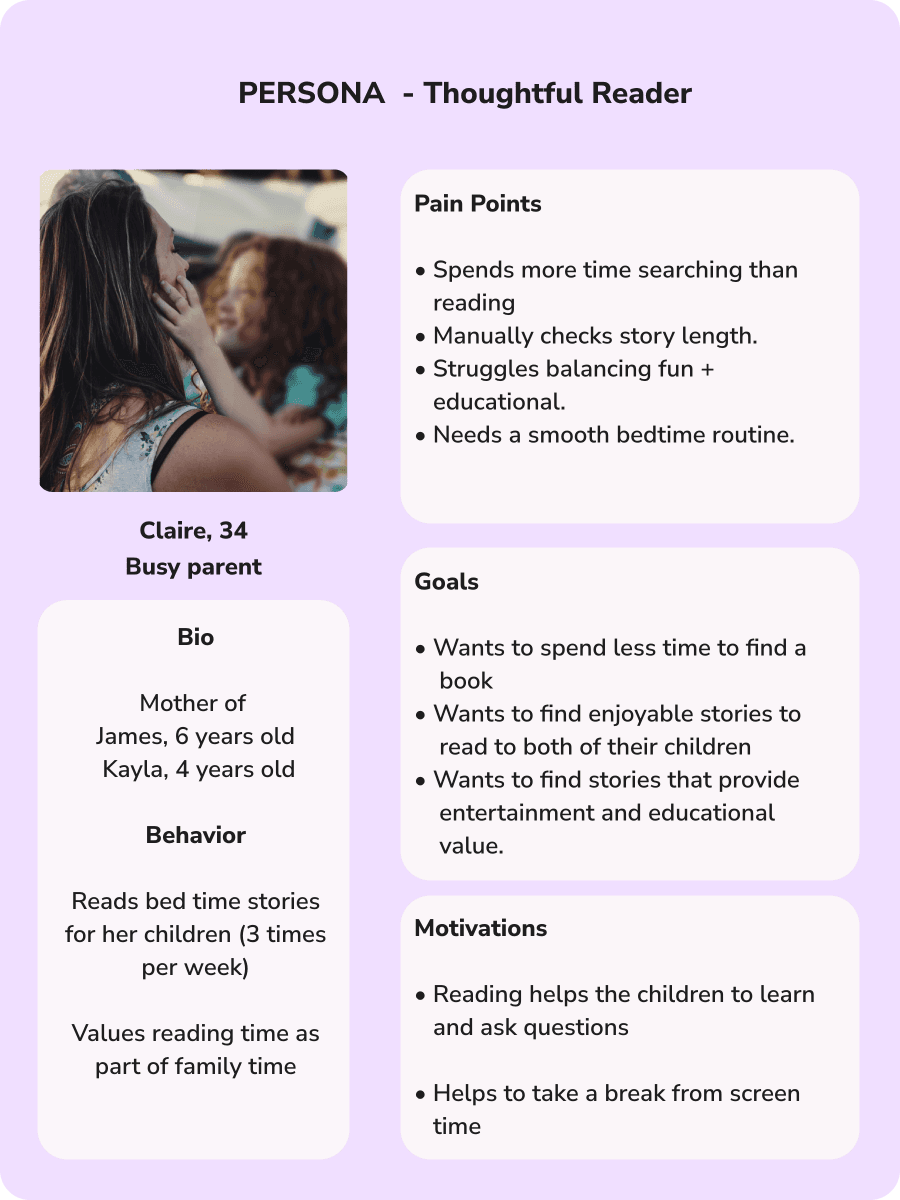
I revisited Claire, our primary persona:
Busy parent with limited time.
Wants stories that are both fun and educational.
Struggles with time-consuming book discovery.

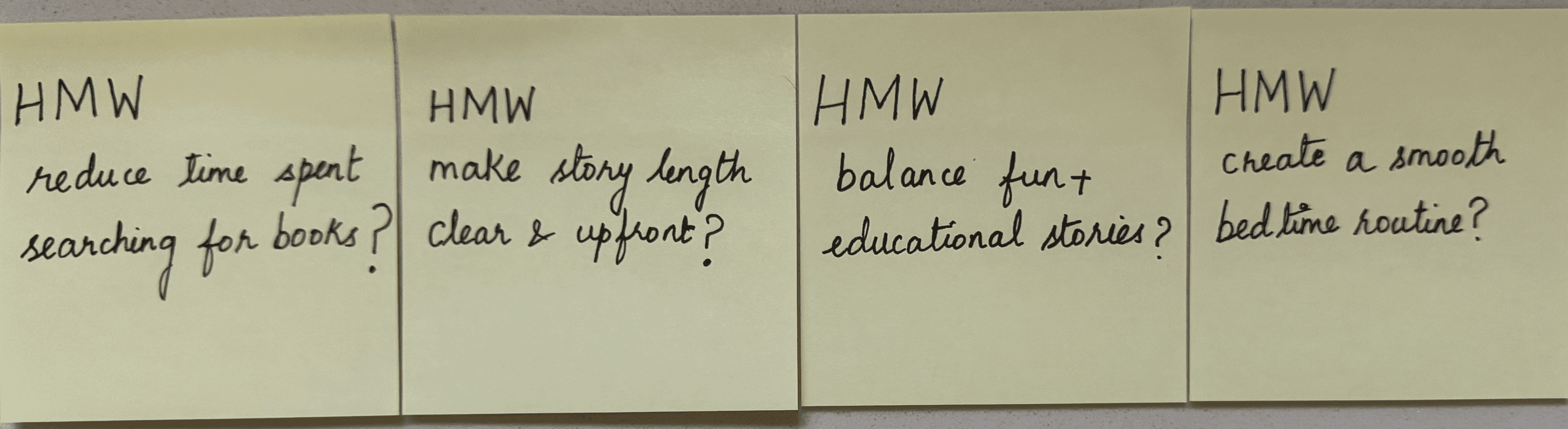
How Might We (HMW) Questions
I used ‘How Might We’ (HMW) questions to reframe Claire’s pain points into opportunity statements, helping me identify actionable design directions for the app.
LONG-TERM GOAL
“Parents should be able to find an engaging, age-appropriate story for their child in under 1 minute.”
DAY 2 - sketch
On the second day, I shifted focus from defining the problem to generating ideas. The day was structured around three key activities: Lightning Demos, Crazy 8’s, and Solution Sketching.
lightning demos
I studied existing platforms like Epic, Vooks, and Pinterest to understand how they tackle discovery, personalization, and engagement. Each demo highlighted different strategies, from smart onboarding filters in Epic, to animated storytelling in Vooks, to visual organization and social proof in Pinterest. These takeaways helped me identify proven design patterns worth adapting for Tiny Tales.
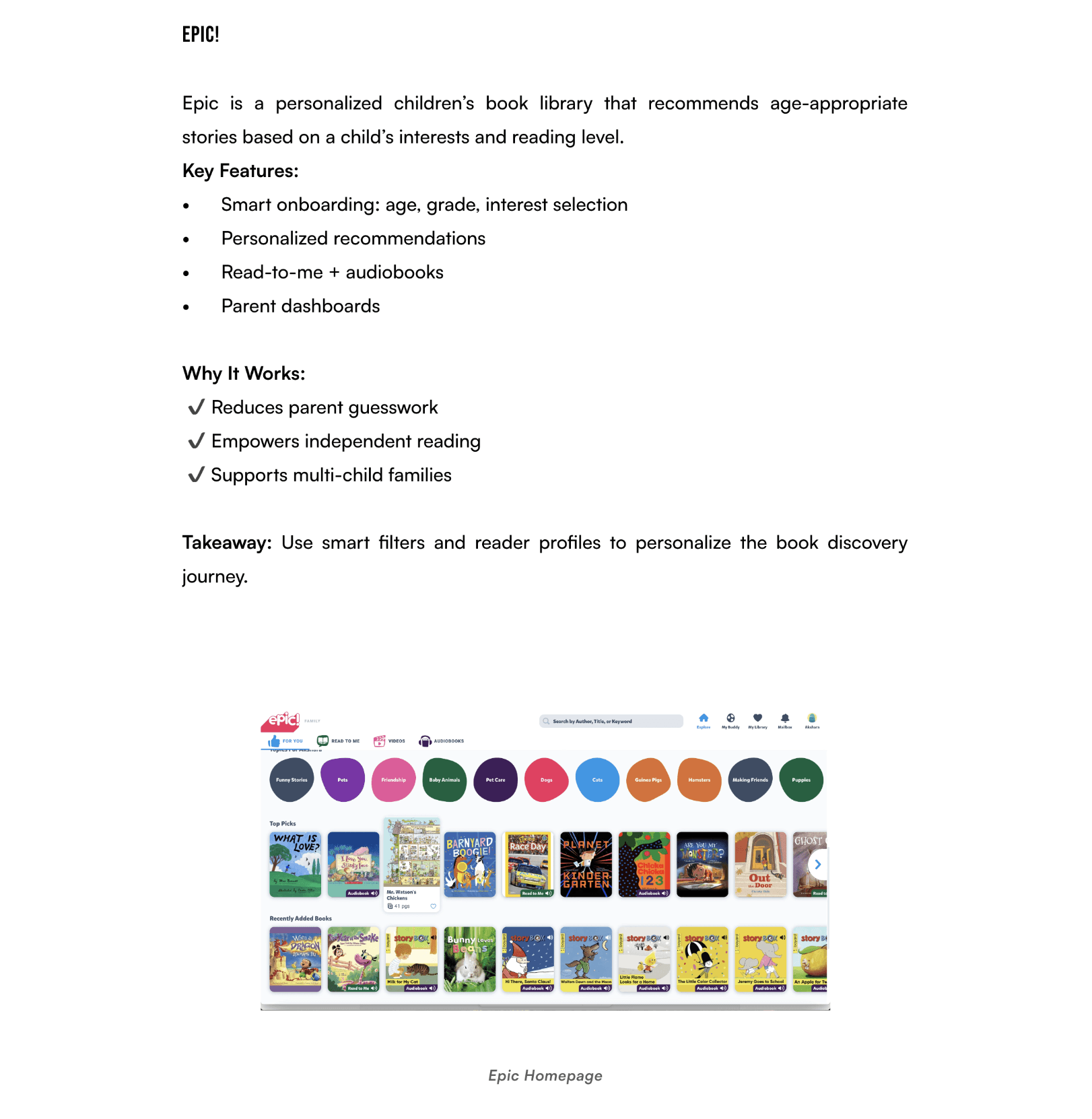
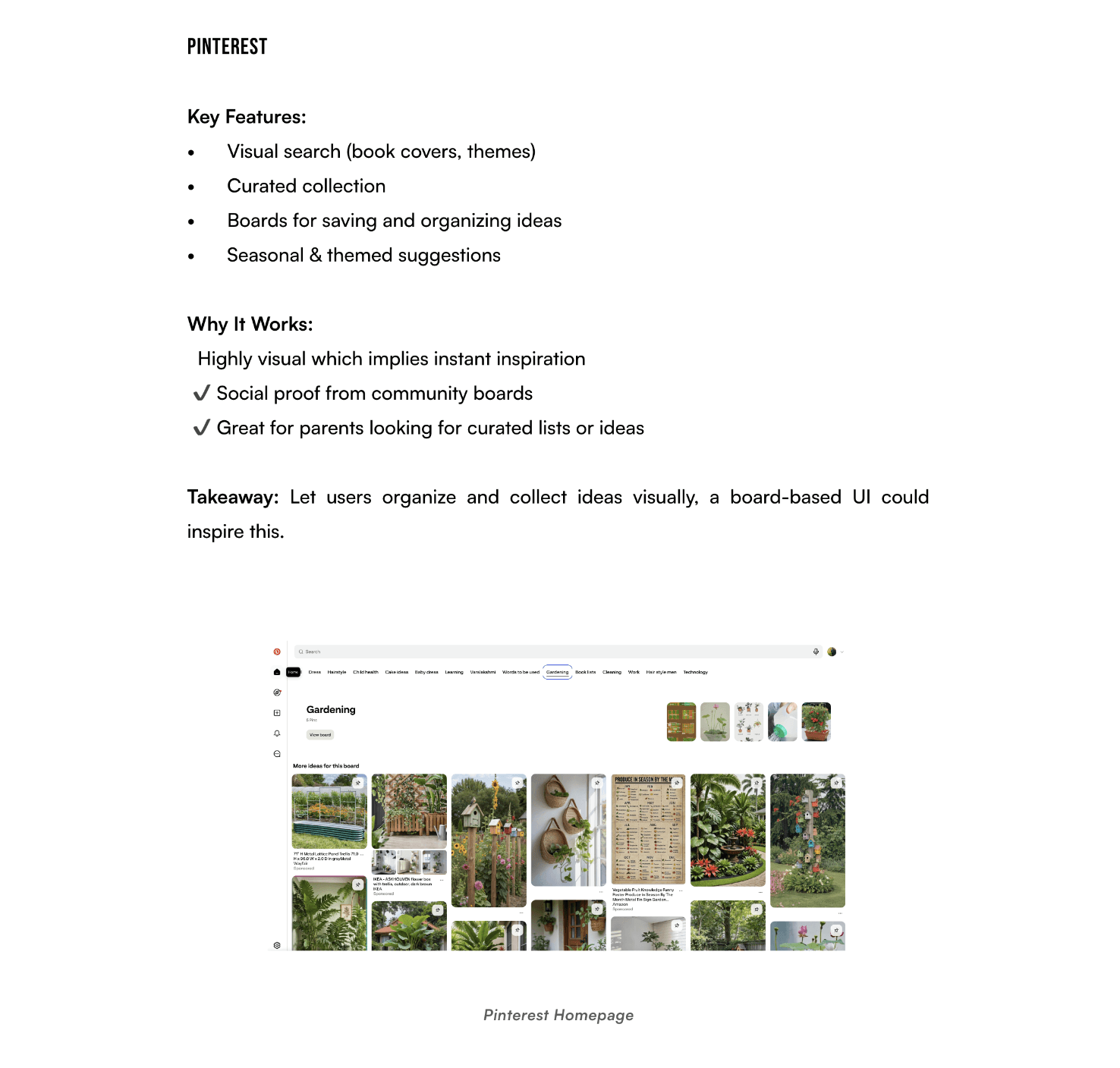
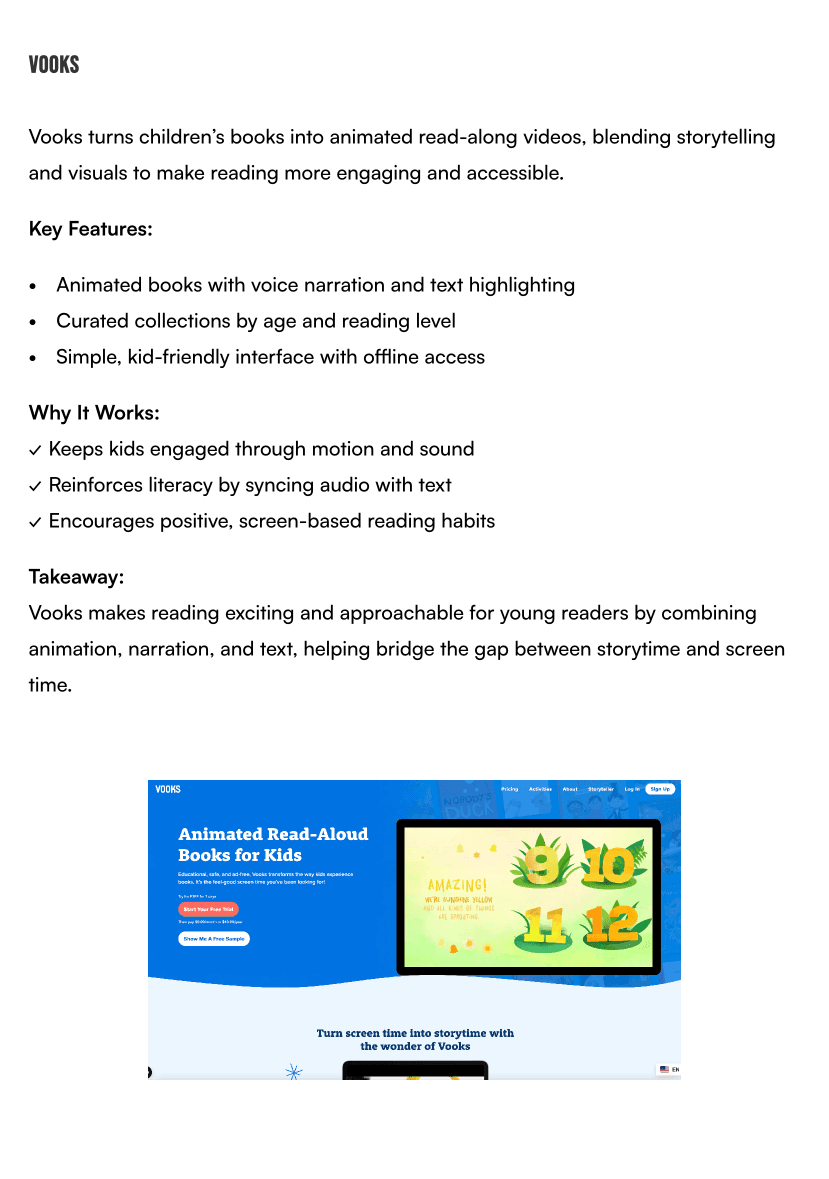
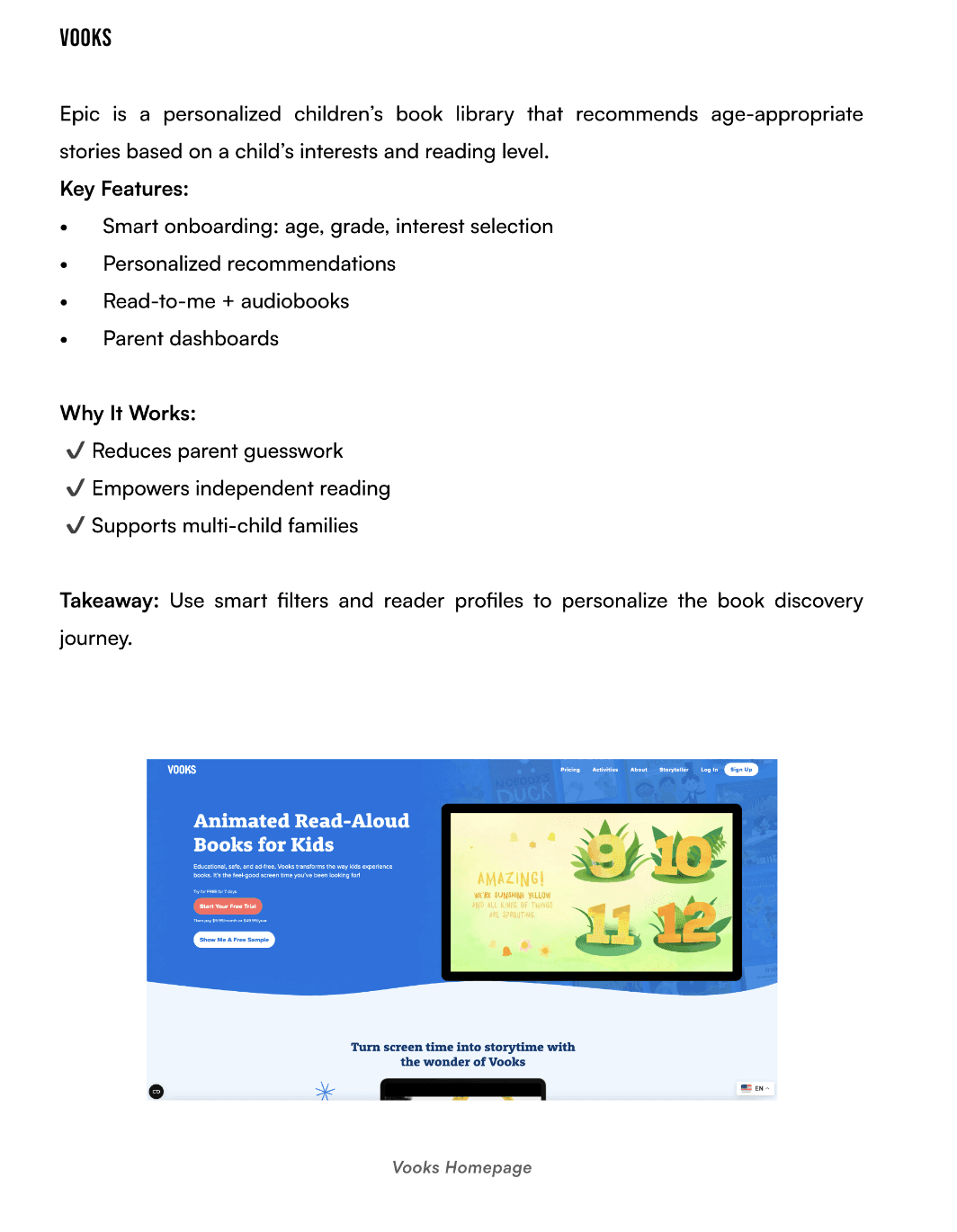
crazy 8's
Next, I ran a Crazy 8’s exercise, sketching eight different user interface variations in just eight minutes to explore multiple ways to simplify book discovery. The rapid pace sparked creativity, but choosing the most practical and impactful idea was challenging and time-consuming.
This experience reinforced that early-stage ideation is about exploration and discovery, and even sketches that are not chosen can inspire stronger solutions later.
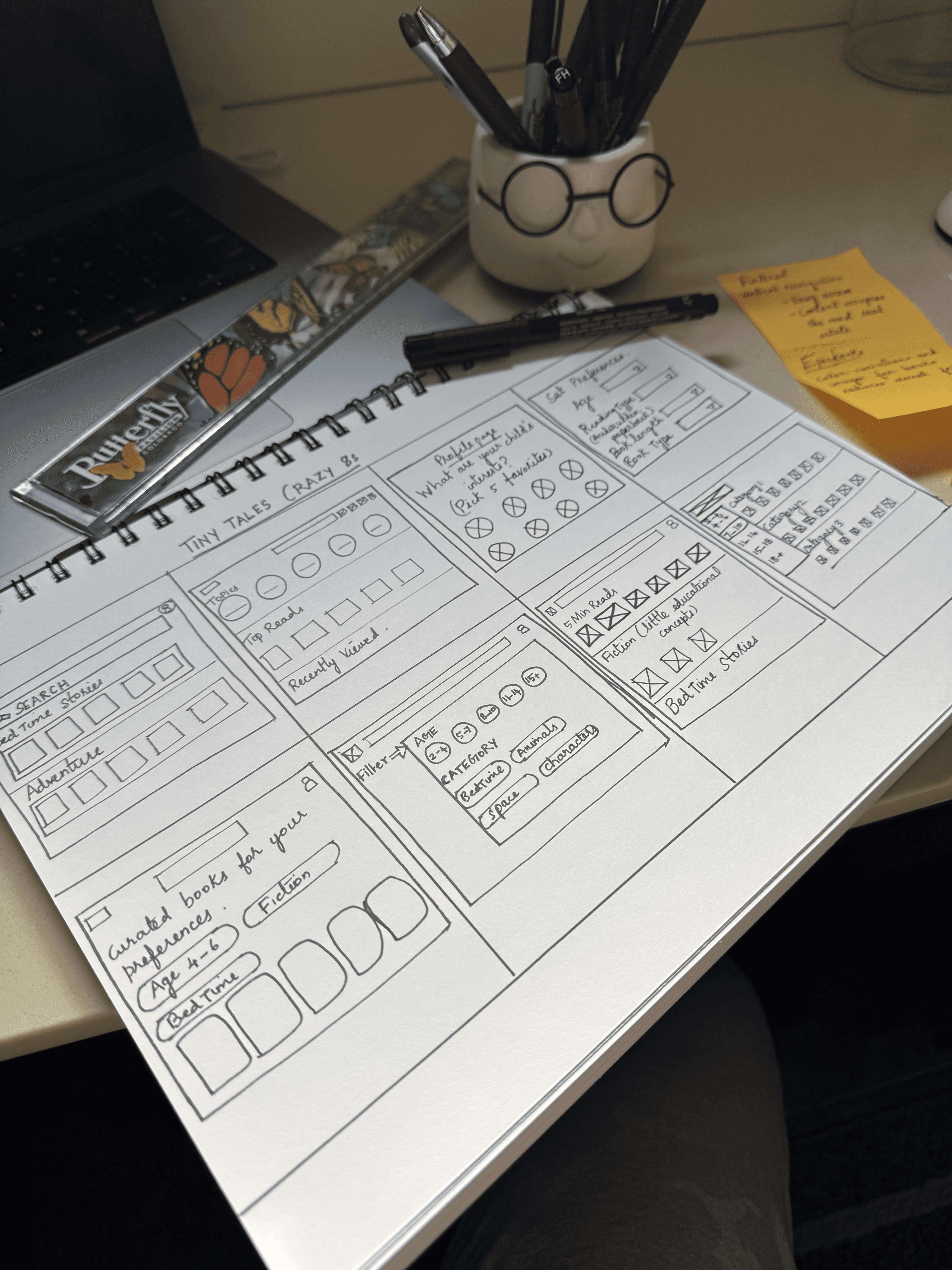
Solution sketch
I chose the second screen for its clean, intuitive design. The strong visual hierarchy makes it effortless to navigate between personalized recommendations and recently viewed books. This interface balances simplicity with clarity - making it easy for parents and children to quickly find what they’re looking for without cognitive overload.
Key touchpoints like onboarding, search results and comparison screens
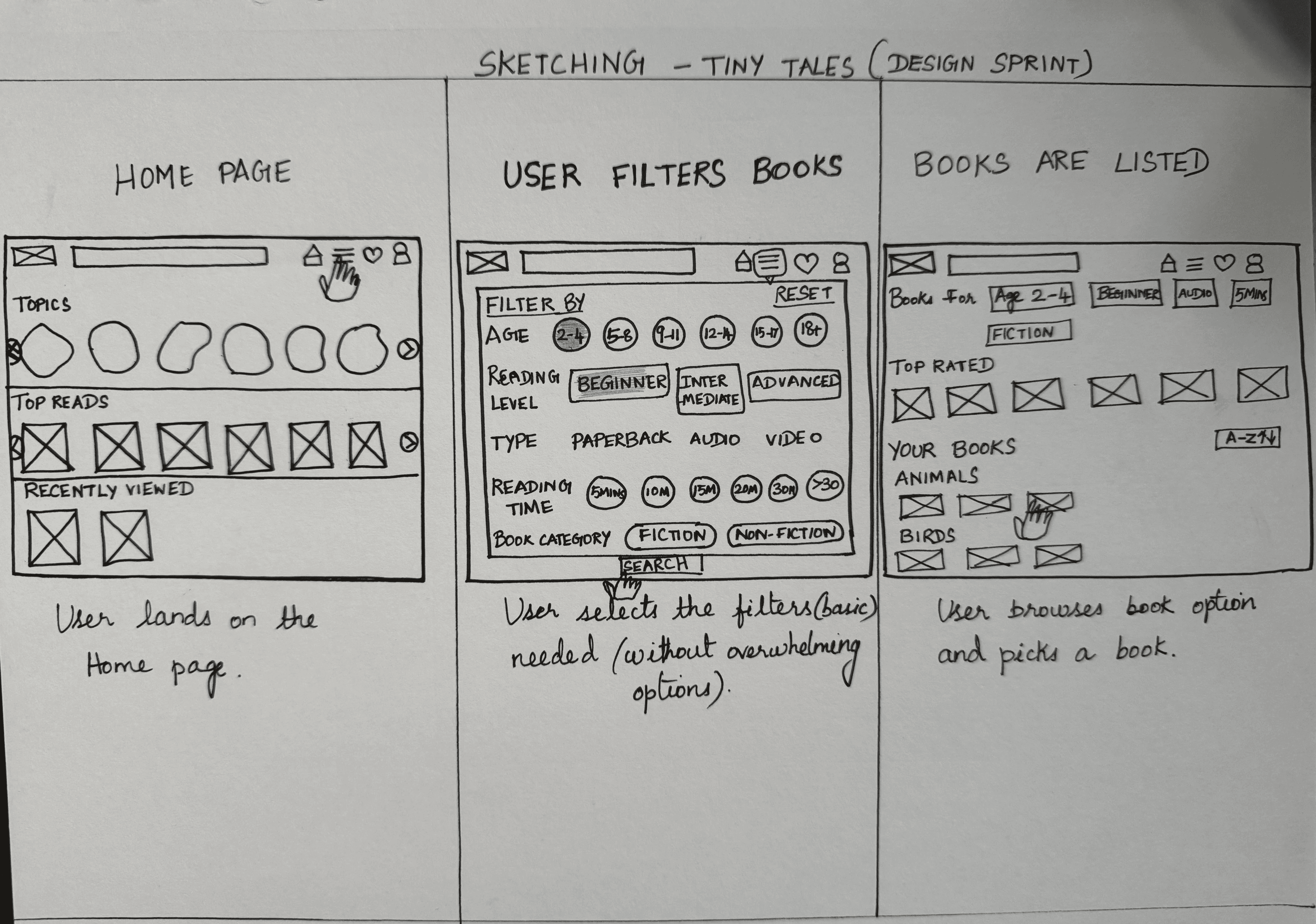
Solution Sketch 1
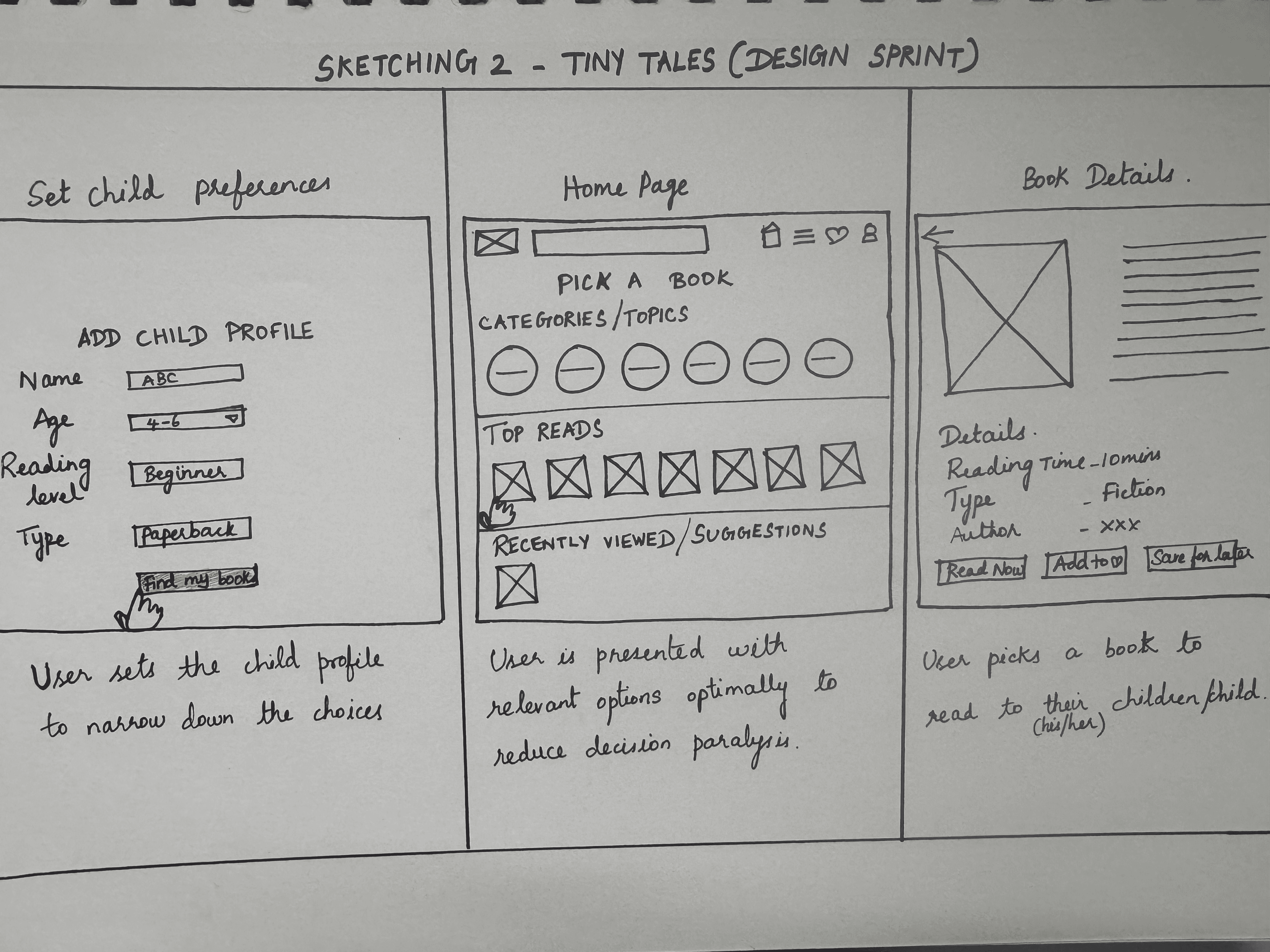
Solution Sketch 2
day 3 - STORYBOARD
The storyboard helped me visualize the entire parent-child reading journey in Tiny Tales, from discovering a book to enjoying it together. It highlighted key emotional moments and interactions, making the experience tangible and relatable. This clarity guided design decisions, ensuring the app felt engaging, intuitive, and grounded in real user contexts.
Visualizing the Parent Experience
I created a storyboard to map the parent’s journey through Tiny Tales, connecting screens into a cohesive flow. This helped identify gaps, refine interactions, and keep the design focused on user needs.
Storyboarding showed the importance of viewing the experience as a continuous journey, highlighting opportunities to make it more intuitive, engaging, and satisfying for parents.
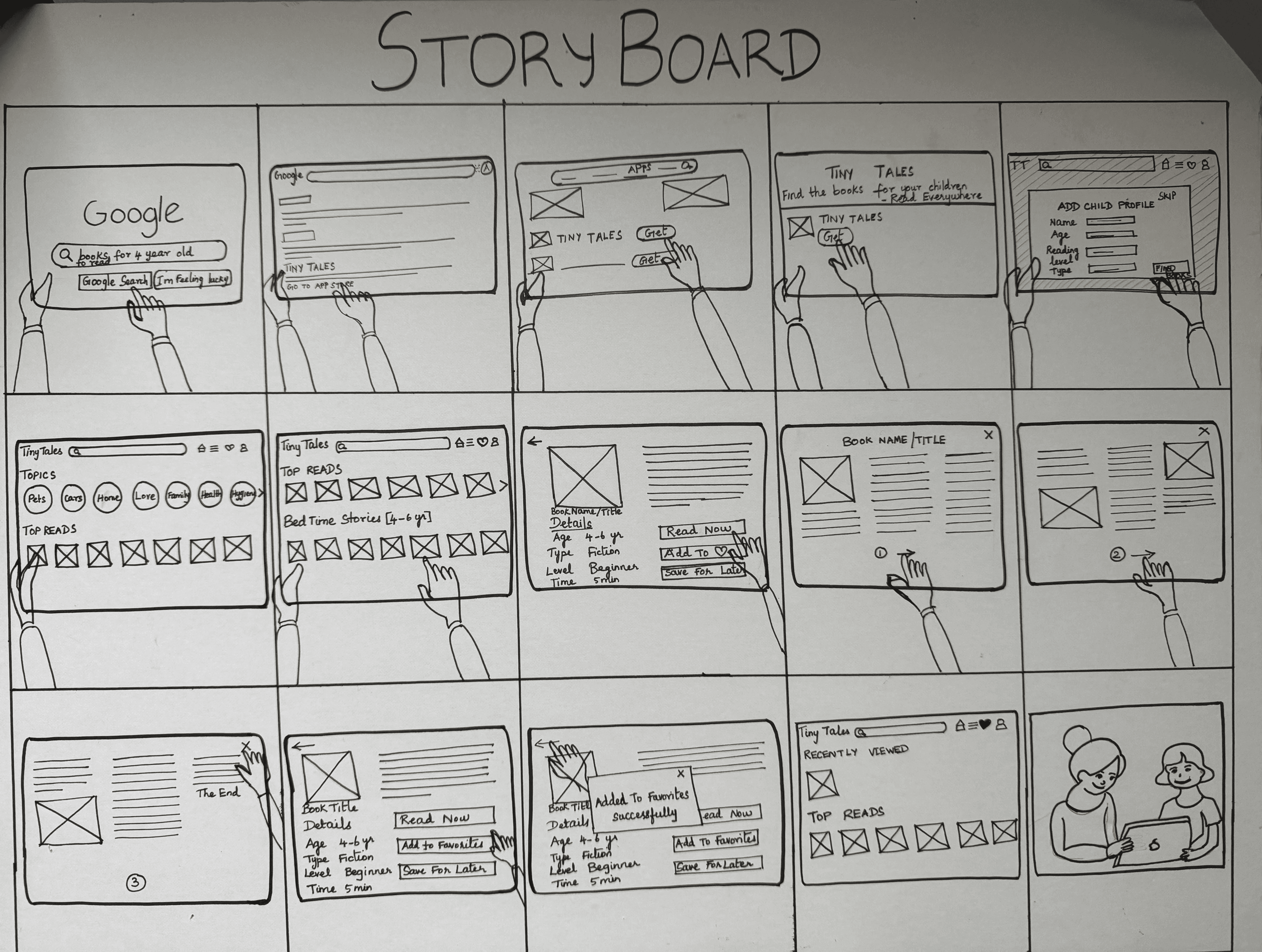
USER SCenario: Turning Reading into joy
Discover: Parent finds Tiny Tales in the app store and installs it.
Onboard: Quickly creates a child profile, adding age, reading level, and interests.
Personalized Feed: Home screen fills with relevant, age-appropriate book recommendations.
Engage: Child chooses a favorite theme and reads along with the parent.
Delight: The story captures the child’s attention, transforming reading from a chore into a fun, shared experience.
DAY 4 - PROTOTYPE
I added interactive elements like tappable book cards, filters, and animated transitions to make Tiny Tales engaging and intuitive, bringing the storyboard to life in a playful and easy-to-navigate way.
Rapid Prototyping in Action
I added interactive elements throughout the Tiny Tales prototype to make the experience more engaging and intuitive. From tappable book cards and filter options to animated transitions and responsive onboarding screens, each interaction was designed to guide parents effortlessly while keeping children engaged. These interactions helped bring the storyboard to life, making the app feel playful, dynamic, and easy to navigate.

DAY 5 - TEST
On the final day, I conducted usability testing with parents, children to see how the prototype worked in a real reading context.
“I just want to find a good book quickly without too many steps.”
testing & insights
Day 5 was both exciting and overwhelming, the culmination of all the effort from the previous days. It was also a valuable opportunity to learn from my mistakes and uncover insights that would shape the next iteration of Tiny Tales.
goal
method
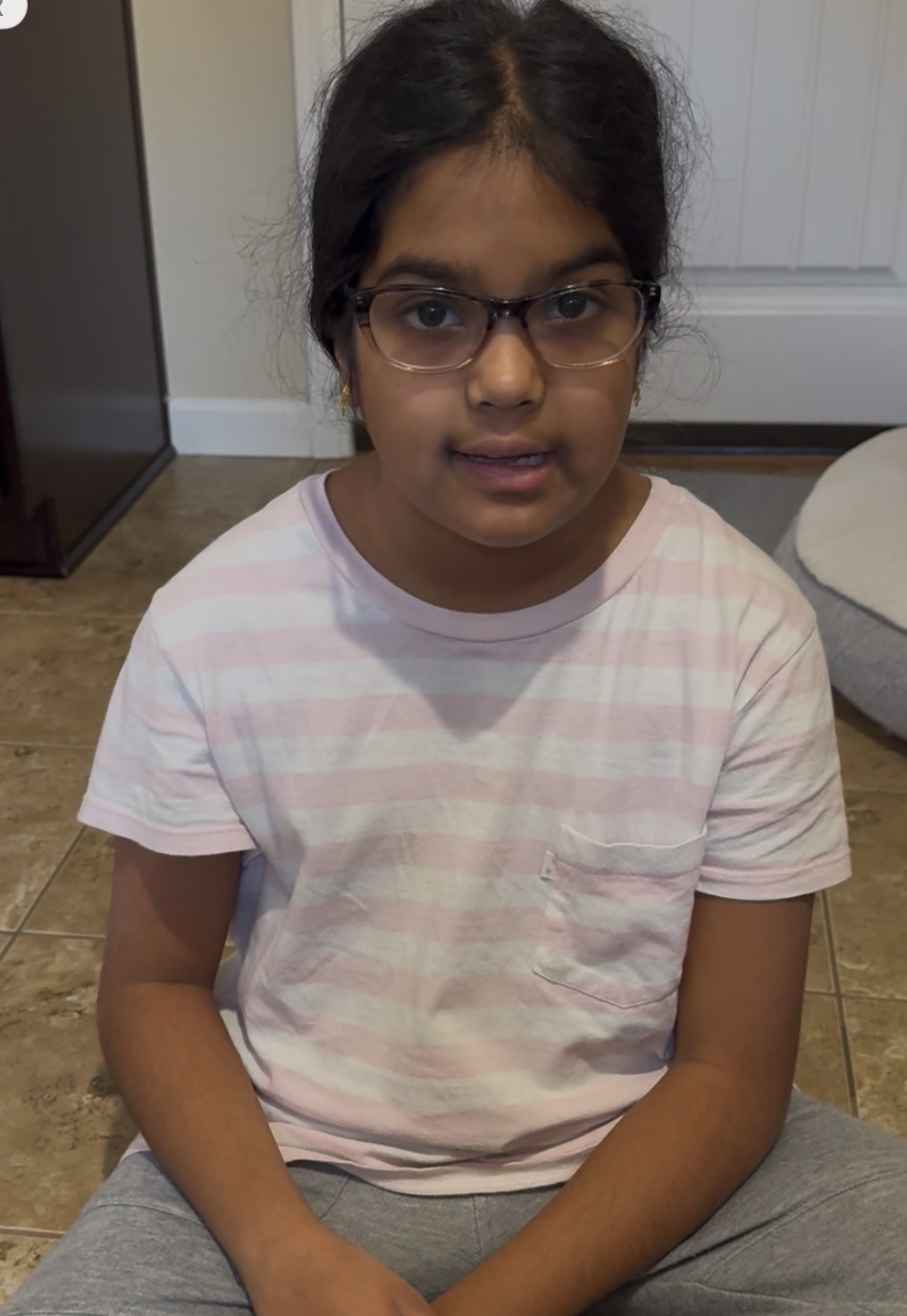
participant characteristics




what worked well
Bright colors and illustrations engaged kids
Personalized recommendations felt helpful for parents
Audio and video books created excitement
what needed improvement
Font size and readability in reading mode
New releases needed on homepage
Simplified terms for kids (e.g., “Read To Me” instead of “paperback”, "Growing Reader instead of "Intermediate")
Ratings/Reviews for the books
Multiple child profile option in the profile page
Top-priority usability issues were addressed to make book discovery easier and more intuitive for parents.
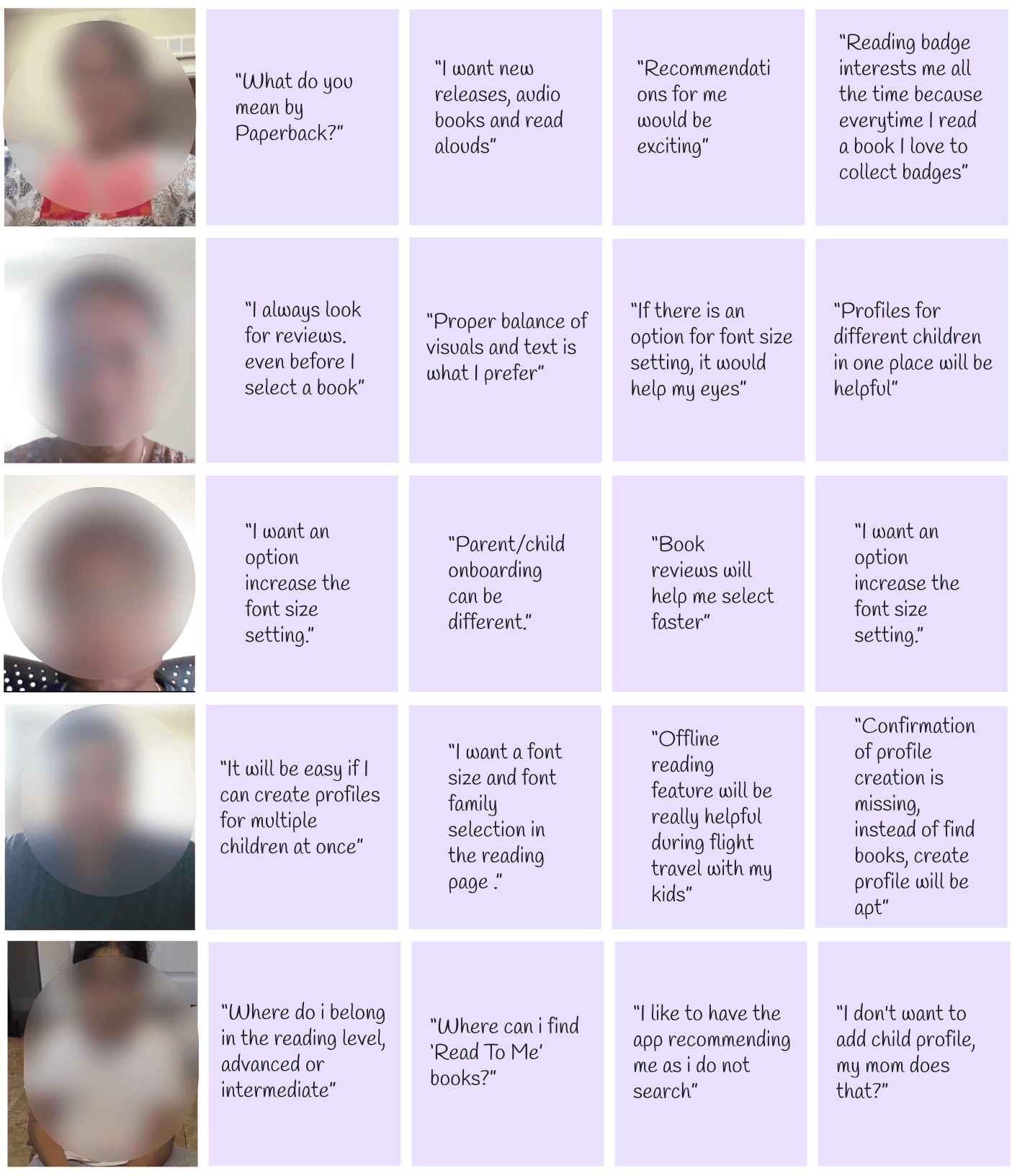
Insights from Remote Moderated Usability Testing with 3 parents and 2 children
TAKEAWAYS
Through designing Tiny Tales, I learned how to create an engaging parent-child reading experience:
Personalization: Tailor books to age, interests, and reading level.
Simplicity: Keep flows intuitive and easy to navigate.
Playfulness: Use visuals and interactions to delight and engage.
Early Visualization: Storyboarding and prototyping reveal friction points.
Rapid Ideation: Generate creative, practical solutions quickly.